
Email filtering is usually framed as a feature question (“Does it catch spam?”). In practice, it’s a security architecture question: Where does filtering happen (server-side vs client-side), what methodology it uses (rules, ML scoring, reputation, allowlisting), and what the failure mode looks like (silent loss vs noisy triage vs missed phishing).
This matters because the cost curve is asymmetric:
- A false negative (phish delivered) can become an account takeover.
- A false positive (legitimate mail suppressed) can become a missed invoice, a failed vendor onboarding, or a time-sensitive legal notice.
When users say “spam filters are broken,” they’re not saying filtering is impossible—they’re saying probabilistic guessing in an open inbox produces unacceptable failure modes at scale.
A practical comparison needs to separate methodology (how decisions are made) from placement (server vs client). The same methodology can behave very differently depending on where it runs:
- Server-side filtering can stop threats before the message is rendered and before attachments/links are touched.
- Client-side filtering can be more private and personalized, but it often happens after delivery, which changes the threat model.
Below is an engineering-focused breakdown of the main methodologies and what changes when you move them server-side or client-side.
1) The problem: open inboxes create security anxiety
The “open inbox” model assumes unknown senders should be allowed to land next to payroll, bank alerts, and internal threads—then a spam filter will sort it out. That model worked when spam was mostly nuisance advertising.
Today, inboxes are a primary attack surface. Filtering isn’t just about deleting junk; it’s about preventing:
- Credential phishing delivered as “DocuSign,” “Microsoft login,” or “HR policy update” lookalikes
- Spam bombing used to bury a real fraud alert in noise
- Business email compromise that relies on one moment of fatigue
At the same time, aggressive filters create a second failure mode: silent loss of legitimate mail. Users then either:
- Disable filtering, or
- Spend time babysitting quarantines—trading one risk (spam) for another (missed real mail).
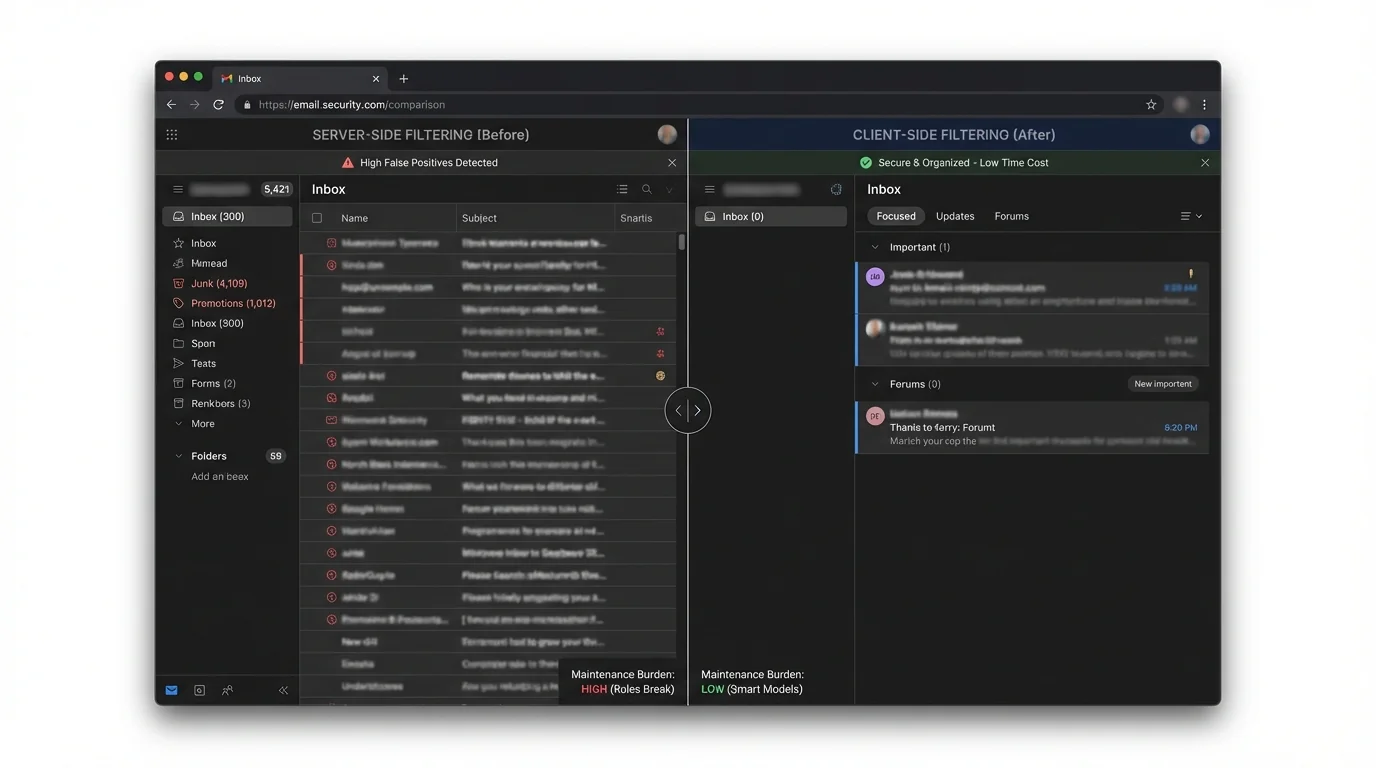
This is why teams keep searching for “server-side vs client-side filtering security implications.” They’re trying to reduce:
- False positives (missed real mail)
- False negatives (delivered attacks)
- Time cost (triage and decision fatigue)
- Maintenance burden (rules that break, models that drift)
2) Methodology breakdown (and what changes server-side vs client-side)
The core methodologies below can run server-side, client-side, or as hybrids. The security implications aren’t about brand names—they’re about where trust and computation live, and whether the decision is deterministic (predictable) or probabilistic (guessing).
Manual rules and pattern filters
How it works: User or admin defines conditions (sender, subject keywords, headers) and actions (move, delete, label, forward). Can run on the mail server or inside the client.
Where it shines:
- Deterministic behavior: the same input yields the same output
- Low compute cost; easy to reason about
- Good for stable workflows (e.g., “route invoices to accounting”)
Where it fails:
- Brittle: attackers and marketers change domains, subjects, and templates
- Hard to maintain at scale across many users
- Dangerous when combined with auto-delete (silent loss)
Real-world failure pattern is “it worked yesterday, broke today,” often after provider changes or rule interactions.
“Custom rules in Workspace broke overnight, causing critical routing failures (“broke 3 email accounts!”)” (user report) https://www.reddit.com/r/gsuite/comments/1ezho4x
“Expert spam filter blocked legitimate emails silently; user disabled it and awaited restoration.” (user report) https://www.reddit.com/r/mxroute/comments/1r78l9g/issues_with_expert_spam_filter_blocking_valid/
Engineering verdict: Manual rules are deterministic but fragile. Server-side rules are more enforceable and consistent (good for policy), but also more catastrophic when wrong (org-wide silent loss). Client-side rules are safer to experiment with, but inconsistent across devices and harder to audit.
If a rule’s action is “delete” or “skip inbox,” you’ve created a silent failure channel. Silent failure is worse than visible spam for most businesses.
Reputation and blocklisting (DNSBL, IP/domain reputation)
How it works: Score or reject mail based on known-bad infrastructure (IP/domain reputation lists, historical sending behavior). Primarily server-side, sometimes supplemented by client UI.
Where it shines:
- Scales well for high-volume, commodity spam
- Cheap to run; good early-stage filtering
- Strong against known spam infrastructure
Where it fails:
- Reactive: new domains and “warm” infrastructure slip through
- Collateral damage: shared IPs and multi-tenant senders can get blocked
- Doesn’t reliably stop spear phishing from compromised legitimate accounts
General techniques and limitations are well documented: https://en.wikipedia.org/wiki/Anti-spam_techniques
Engineering verdict: Reputation filtering is a useful coarse pre-filter server-side, but it’s not a safe primary control for executives or high-risk roles. It’s optimized for bulk patterns, not targeted attacks.
Treat reputation as “reduce noise,” not “guarantee safety.” It lowers baseline load so stronger controls can do their job.
Statistical and AI scoring (Bayesian/ML classification)
How it works: Model assigns a spam/phish probability using features (content, headers, links, historical behavior). Can be server-side (provider-level) or client-side (personalized).
Canonical early approach: Naive Bayes spam filtering (research) https://arxiv.org/abs/cs/0008019
Where it shines:
- Adaptable to evolving spam content
- Good at catching “near duplicates” and templated campaigns
- Server-side models can leverage network-wide signals
Where it fails:
- False positives are inevitable because it’s probabilistic
- Concept drift: attackers adapt; models must retrain and re-tune
- Hard to audit: decisions can be non-intuitive
- Trust problem: users stop relying on it after a few painful misses
The user-facing experience is often “it guessed wrong, and I can’t predict when it will happen again.”
“Legitimate emails… time-sensitive government notification flagged as spam, while casino ads passed through.” (incident report) https://www.remio.ai/post/gmail-spam-filter-broken-the-january-2026-outage-explained
“Spam ‘learned’ filter fails to adapt—users miss important emails despite marking them.” (user report) https://www.reddit.com/r/fastmail/comments/1rr7qzb/fastmail_spam_filtering_is_crap/
“Outlook let spam flood my inbox…” (user report) https://www.windowscentral.com/software-apps/outlook-let-spam-flood-my-inbox-but-copilot-caught-it-instantly-so-whats-stopping-microsoft-from-combining-them
Engineering verdict: AI scoring is powerful for bulk classification, but the failure mode is unacceptable for high-stakes mail because the system is designed to be right “most of the time,” not predictably right. Server-side AI improves fleet-level detection but increases privacy exposure and can create mass incidents when thresholds or features shift. Client-side AI can be more personalized and private, but it’s harder to centrally manage and can still misclassify—with the added risk that the message is already delivered.
A 1% false positive rate sounds small until you do the math. If a user receives 100 legitimate emails/day, that’s ~1 misfiled legitimate email/day—about 365 missed legitimate emails/year.
Challenge–response filtering
How it works: Unknown senders receive an automated challenge (captcha or confirmation). Mail is delivered only after completion. Typically server-side.
Overview: https://en.wikipedia.org/wiki/Challenge%E2%80%93response_spam_filtering
Where it shines:
- Strong against automated bulk spam
- Deterministic gating mechanism (either they complete it or they don’t)
Where it fails:
- Friction: legitimate senders may not complete it
- Backscatter risk if sender addresses are forged
- Can harm deliverability and reputation
Engineering verdict: Challenge–response can reduce spam volume, but it externalizes your filtering cost to everyone who emails you. It is rarely a good fit for modern business workflows.
Strict allowlisting (contact-first filtering)
How it works: Deliver to the primary inbox only from known-good identities (contacts / approved senders). Unknown senders are routed to a separate area for review.
This can be enforced server-side (best) or approximated client-side (weaker).
Where it shines:
- Deterministic: no guessing about “spamminess”
- Strong phishing reduction: the default is “unknown stays out”
- Eliminates decision fatigue in the primary inbox
- Works even when attackers use new domains or perfect copy
Where it fails:
- Requires a clean, intentional definition of “known”
- First-contact workflows need a controlled intake path (e.g., forms, aliases, or a review folder)
Engineering verdict: For security-sensitive inboxes, allowlisting is the only approach that changes the default from “trust then evaluate” to “verify then admit.” Server-side enforcement is architecturally superior because it prevents risky content from competing for attention in the main inbox across every device.
Allowlisting isn’t “no new email.” It’s “new email lands in a safe intake lane,” preserving discovery without sacrificing the primary inbox.
3) Comparison table: what actually changes security outcomes
Below is a simplified engineering comparison. “Server-side vs client-side” changes enforcement consistency, privacy exposure, and when the user is exposed to content.
| Methodology | False Positives | Time Cost | Maintenance | Security |
|---|---|---|---|---|
| Manual rules (server/client) | Medium–High (brittle) | Medium (triage when rules break) | High | Medium (depends on correctness) |
| Reputation / blocklisting (server) | Medium (collateral blocks) | Low–Medium | Medium | Medium (weak vs targeted phish) |
| AI/ML scoring (server/client) | Medium (inevitable) | Medium–High (quarantine review) | High (drift, tuning) | Medium–High (good bulk catch, inconsistent) |
| Challenge–response (server) | Medium–High (legit friction) | Medium | Medium | Medium (strong bulk, risky side effects) |
| Strict allowlisting (server preferred) | Low (if contacts are clean) | Low | Medium (contact hygiene) | High (prevents unknown-by-default) |
4) The winner: strict allowlisting beats guessing, especially server-side
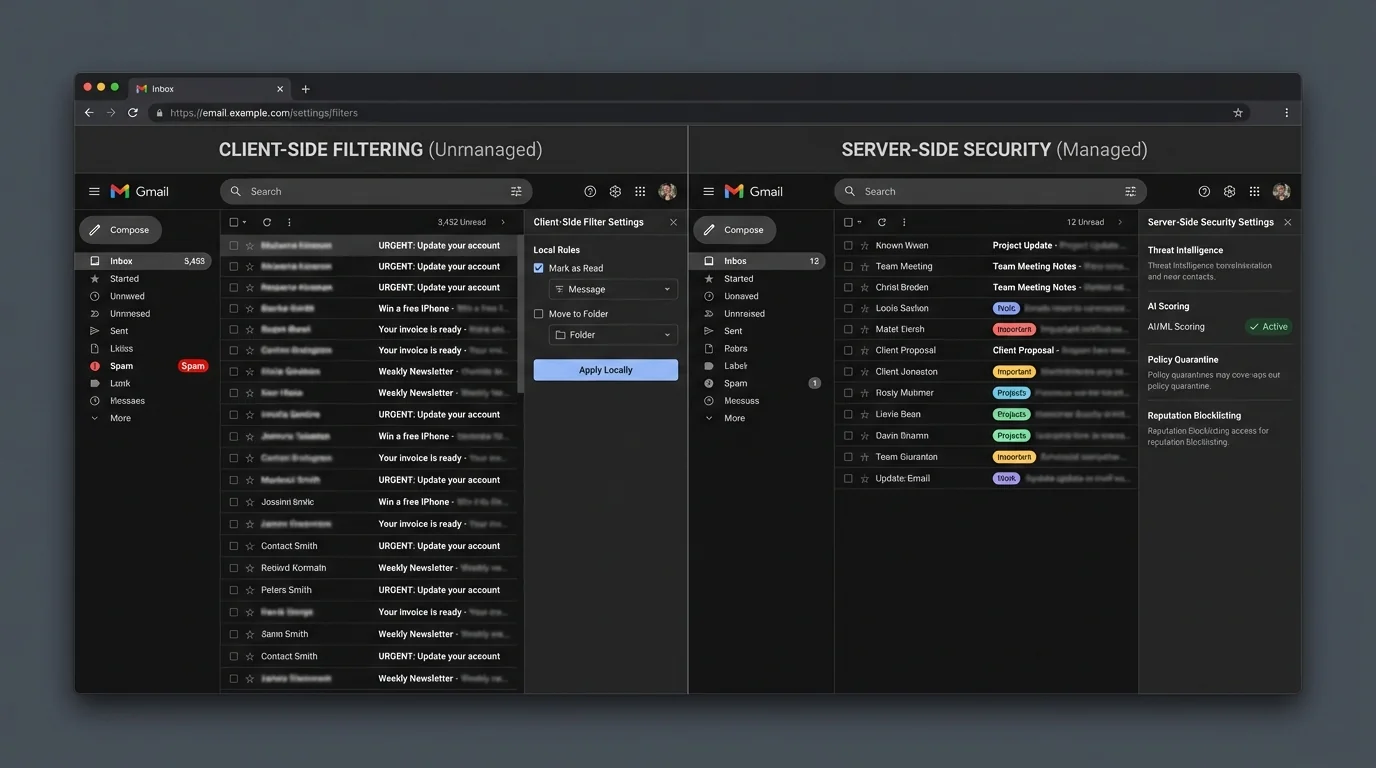
If you only change where filtering runs (server vs client) but keep the same probabilistic methodology, you mostly reshuffle risk:
- Server-side AI reduces device exposure, but still guesses.
- Client-side AI increases privacy, but still guesses—often after delivery.
The architectural breakthrough is changing the decision model:
- Probabilistic filtering asks: “Does this look bad?”
- Strict allowlisting asks: “Is this known good?”
That inversion matters because attackers are optimizing for looking legitimate. In 2026, a well-crafted phish often looks more legitimate than an authentic invoice from a small vendor with imperfect email hygiene.
Why server-side allowlisting is the strongest placement
Server-side enforcement wins on fundamentals:
- Consistency across clients: web, mobile, desktop all see the same separation.
- Earlier risk reduction: unknown senders don’t land in the primary attention channel.
- Auditable policy: admins (or users) can reason about what happened and why.
A concrete implementation pattern: the KeepKnown Protocol
A practical version of strict allowlisting is to treat contacts as the allowlist and route everything else to a review folder.
KeepKnown (https://keepknown.com) implements this as an API-based server-level email filter (not a mail plugin): it moves non-contacts into a dedicated label/folder (e.g., “KK:OUTSIDERS”) so your primary inbox is contact-first by default.
From a security engineering standpoint, important details are:
- OAuth2-based access
- Verified security posture (CASA Tier 2)
- Encrypted hashes (no plaintext storage)
- Works across Gmail/Google Workspace and Microsoft environments
If you want the deeper vendor-risk angle for Google environments, see: CASA Tier 2 For Email Vendors.
This is the difference between “sorting” and “screening.” Sorting is cosmetic; screening changes which messages get attention at all.
Why this reduces phishing risk more than “better spam detection”
Most phishing succeeds because it reaches:
- The primary inbox
- A notification surface
- A moment of low attention / high urgency
Strict allowlisting attacks that chain. Unknown senders can still be reviewed—just not in the same stream as trusted mail.
For related analysis on deterministic vs probabilistic models, see: Deterministic vs Probabilistic Email Filtering for Executives.
5) When other methods still make sense
Strict allowlisting is architecturally superior for high-value inboxes, but there are honest edge cases where other approaches are appropriate.
Use manual rules when:
- You have stable, low-change routing needs (e.g., internal automation)
- You can tolerate occasional breakage
- You avoid auto-delete and have monitoring
Use reputation/blocklisting when:
- You operate a mail gateway and need to reduce obvious bulk spam cheaply
- You treat it as a first-layer filter, not your final decision maker
Use AI scoring when:
- You need broad coverage across many categories of “unwanted”
- You can staff quarantine review (or accept misses)
- You’re optimizing for “pretty good” at high volume, not “predictable” for critical mail
User complaints often cluster around the hidden cost: babysitting.
“Users complained about babysitting quarantined emails… ‘checking filters daily’ burden.” (user report) https://www.reddit.com/r/sysadmin/comments/zrsdlv
“Users resist filtering when false positives appear, preferring no filters… confronted with ‘checking filters daily’ burden.” (user report) https://www.reddit.com/r/msp/comments/1ryxzrj/mild_rant_email_filtering/
Use hybrid (server + client) when:
- Server enforces broad policy (malware stripping, basic reputation, allowlist gate)
- Client adds optional personalization without affecting delivery of known-good mail
Hybrid is strongest when the server does deterministic gating and the client does non-authoritative suggestions.
6) Verdict
If your goal is “reduce spam,” almost any method can help.
If your goal is security and reliability—minimizing both delivered attacks and silent loss—then the key design choice is not server vs client. It’s guessing vs knowing.
- Server-side probabilistic filters (AI/reputation) are good at lowering bulk noise but will always produce unacceptable edge cases.
- Client-side filters can improve privacy and personalization but often happen after delivery and are inconsistent across devices.
- Server-side strict allowlisting (contact-first) is the cleanest architecture because it makes the primary inbox a trusted channel by default and pushes unknowns into a controlled intake lane.
That’s why the KeepKnown approach (https://keepknown.com) is fundamentally different from “spam filtering”: it doesn’t try to out-guess attackers; it enforces who is allowed to interrupt you.
To implement the method safely, you’ll typically want:
- A clean contact list (start here: How to Audit Google Contacts for a Clean Safe Sender List)
- Explicit policy for exceptions (domains, partners) without turning it into a brittle ruleset (see: How to Whitelist a Domain in Gmail and Outlook Safely)
- An operational mindset shift from “Inbox Zero” to “Inbox Fortress” (see: Inbox Fortress Replaces Inbox Zero For Founders)